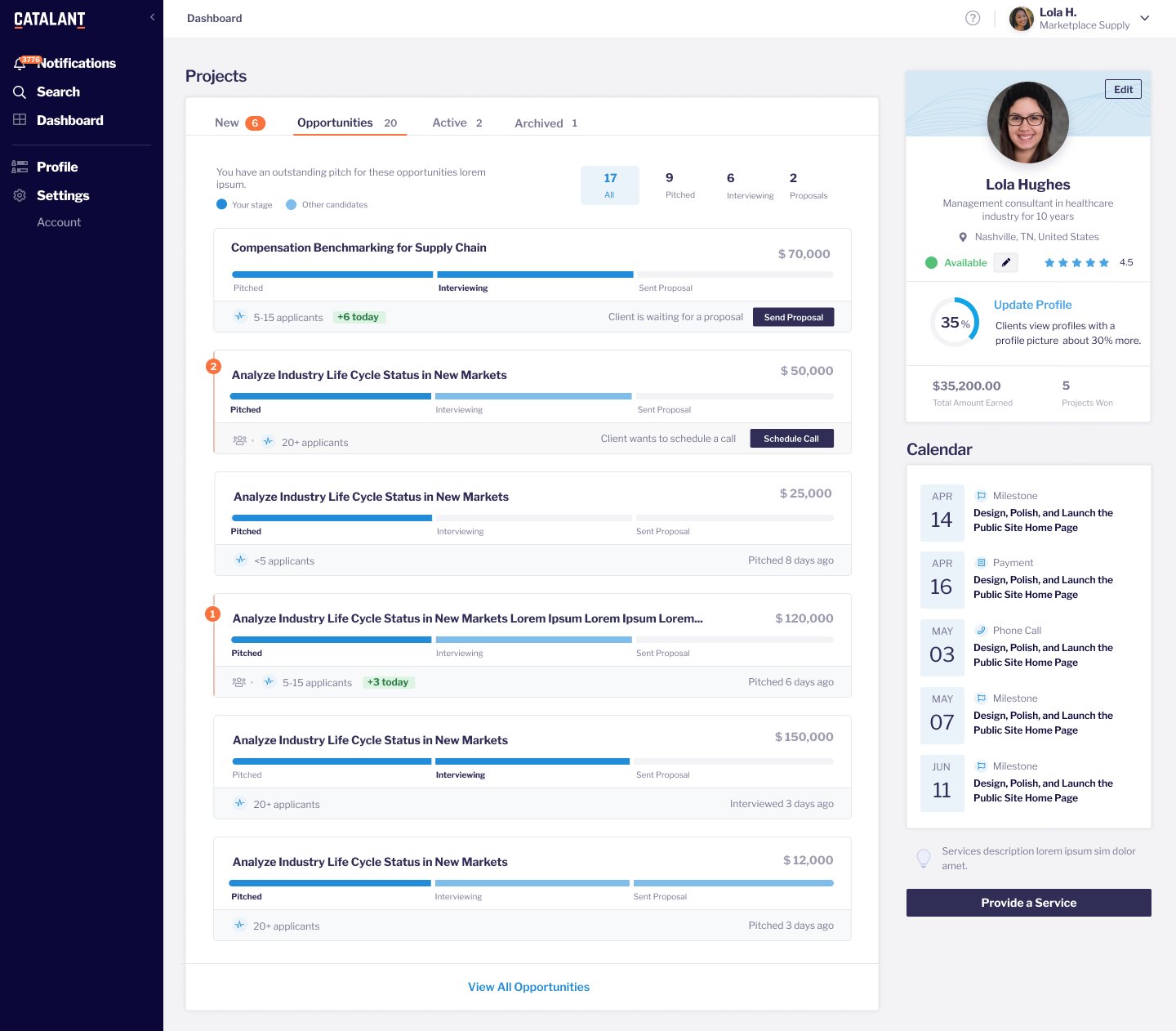
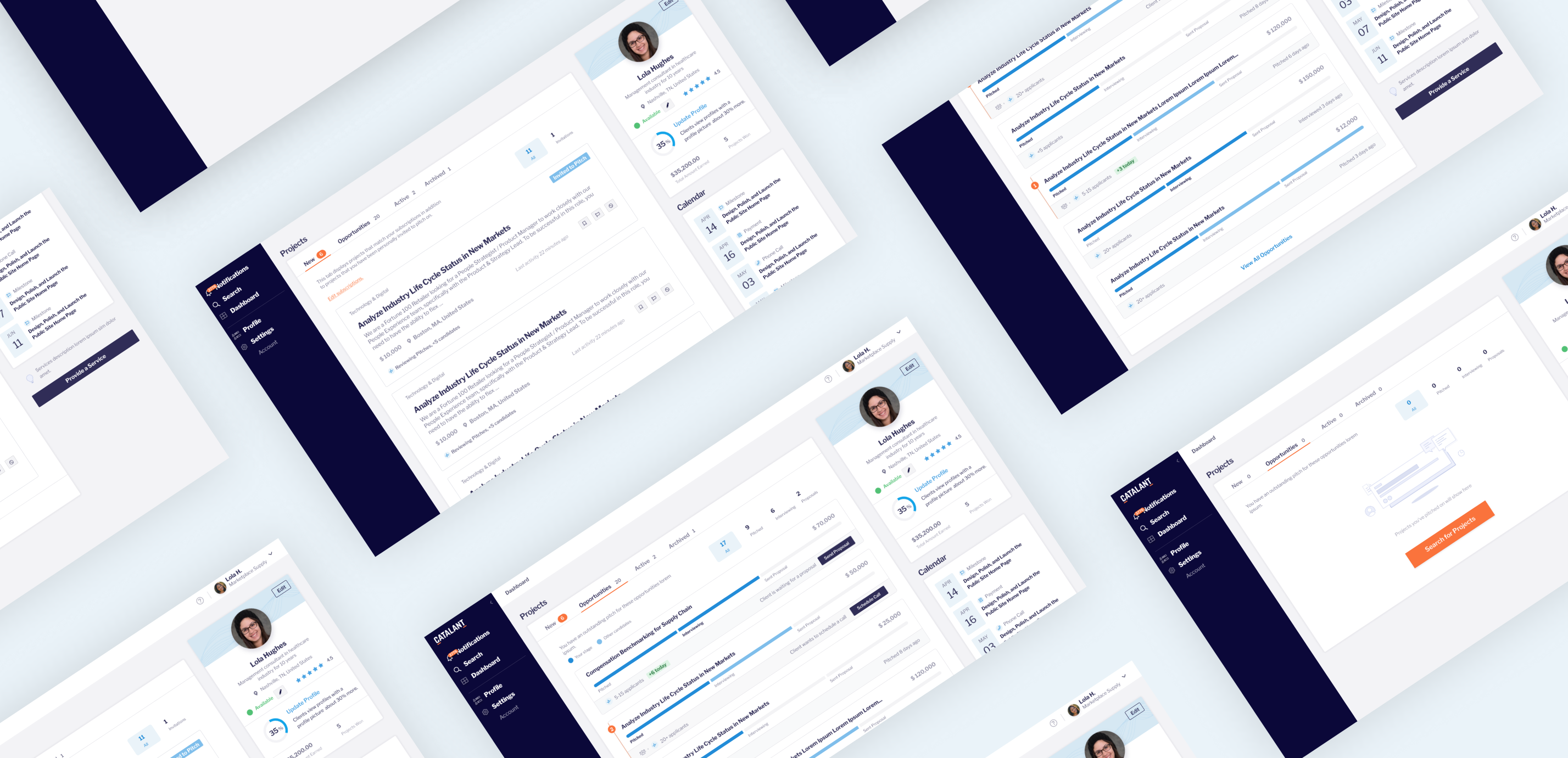

Dashboard for Catalant Experts to track application status for multiple contracts at a glance.
Catalant connects experts in specific fields with companies looking to contract them for projects. These experts apply to be considered for work.
“The biggest thing where Catalant can improve is through transparency in the process. I felt like I would bid on work but never knew how the process worked or why I never got a client via Catalant. It is discouraging and makes me view the service more skeptically. Does anyone find projects through Catalant??” - Catalant Expert
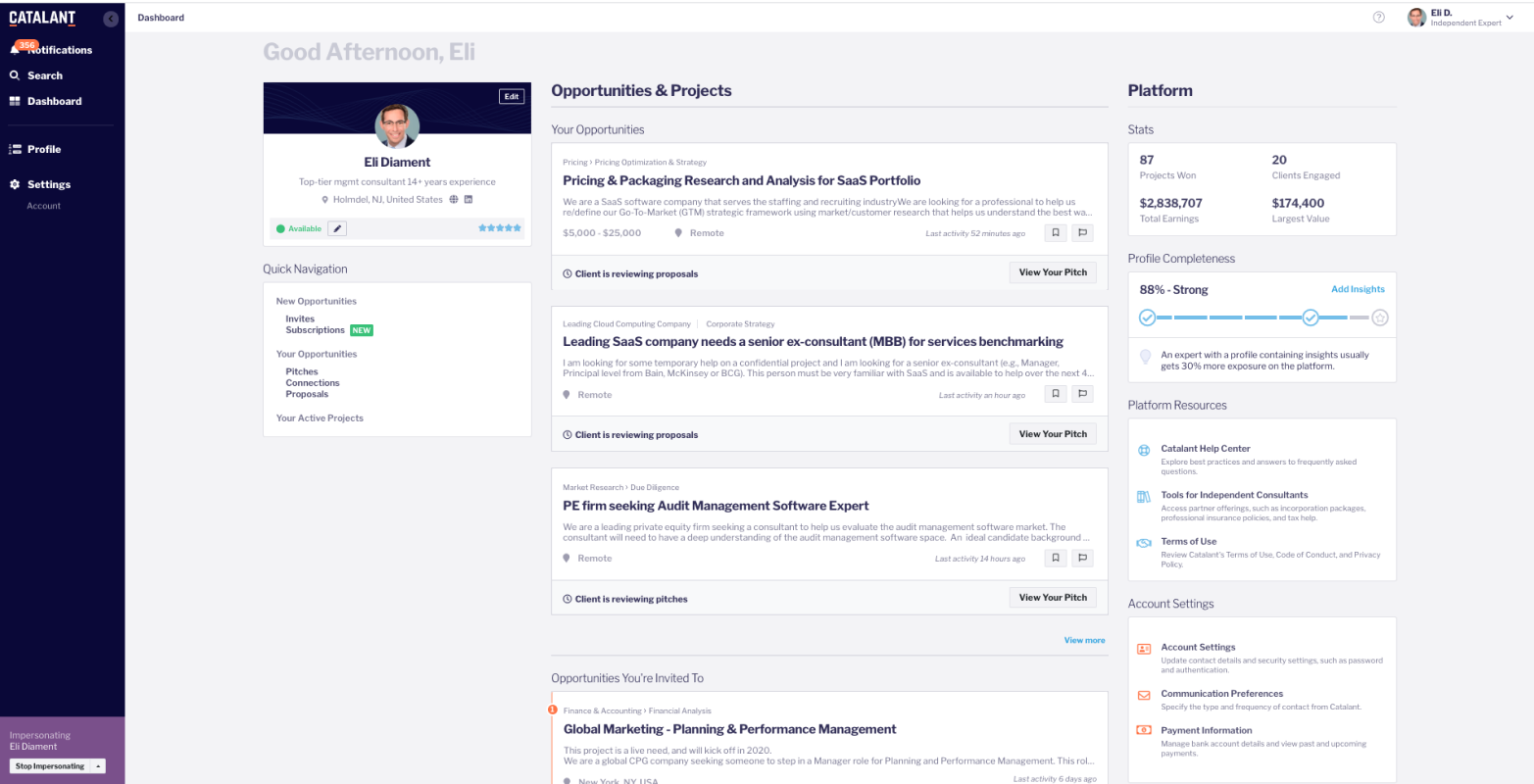
In the old version, there was very little transparency for experts to know their application status, if someone else got hired, and why they weren't selected if they thought they were a great fit, causing much frustration. My goal was to increase transparency in the process and make the application process a delightful one.
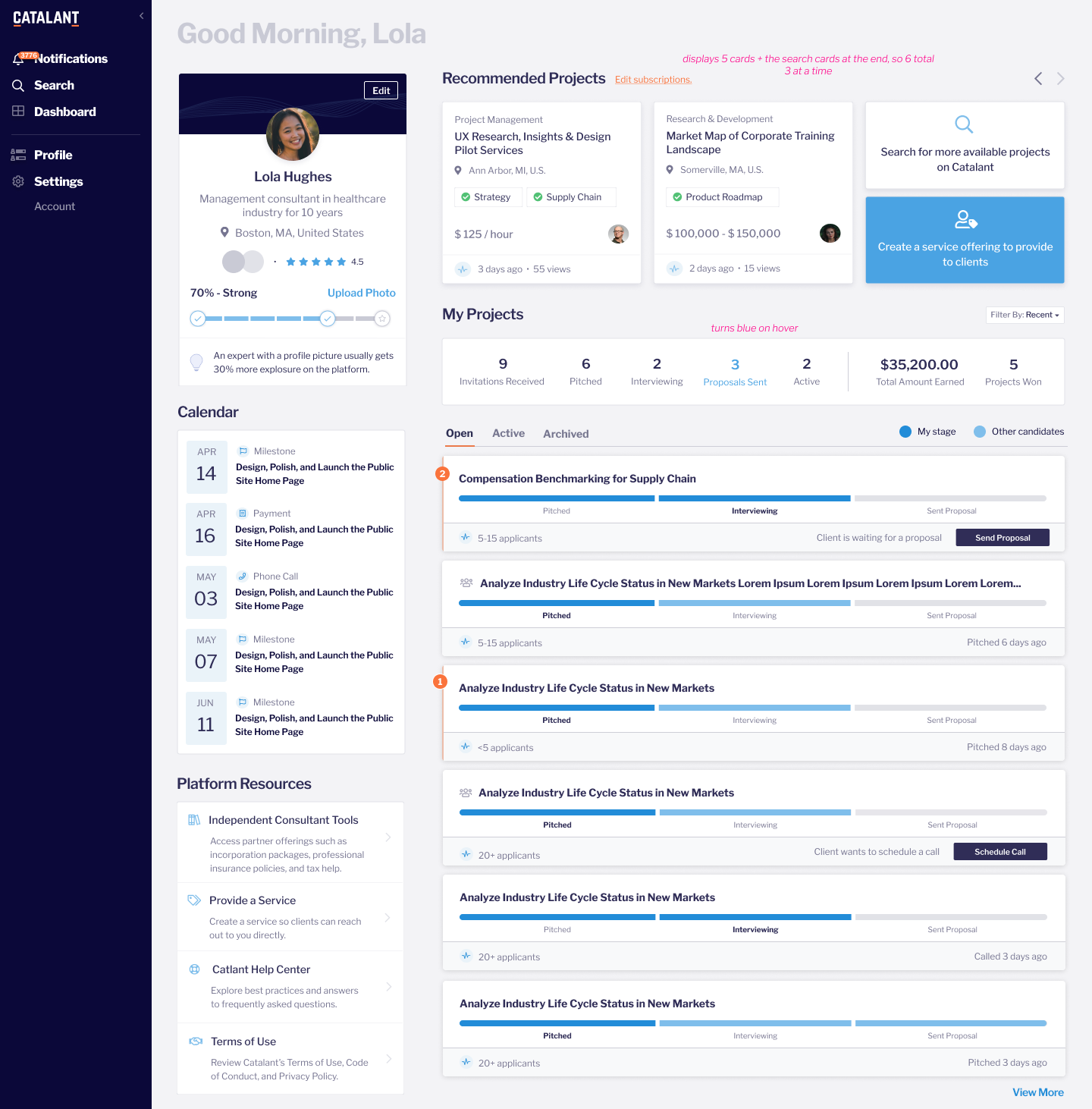
• Increase transparency by showing stage of expert as well as visibility into stage of other experts.
• Provide scanability & a high level overview of open projects.• Provide action buttons when relevant to offload effort onto users
I designed a staged progress bar to each project card, informing the user of their status and that of other applicants.
I made a project summary so users can see how many projects they have in each category, and can use it as a filter.
I put in CTAs on projects where an action could be taken to progress.
I created a calendar card where users can see upcoming important dates.
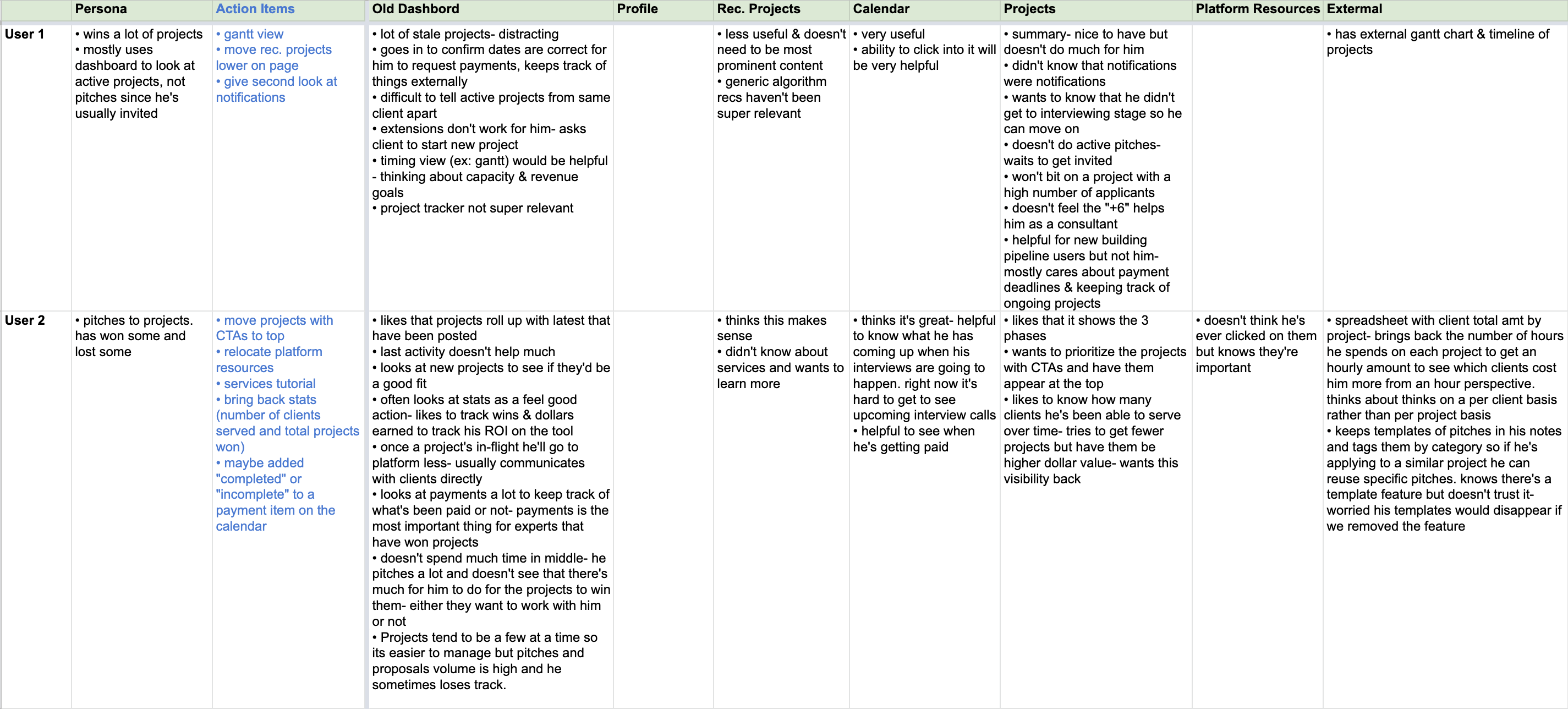
I conducted 4 user interviews amongst a range of personas and their success with the app, where we discussed their experience and walked through the initial design.
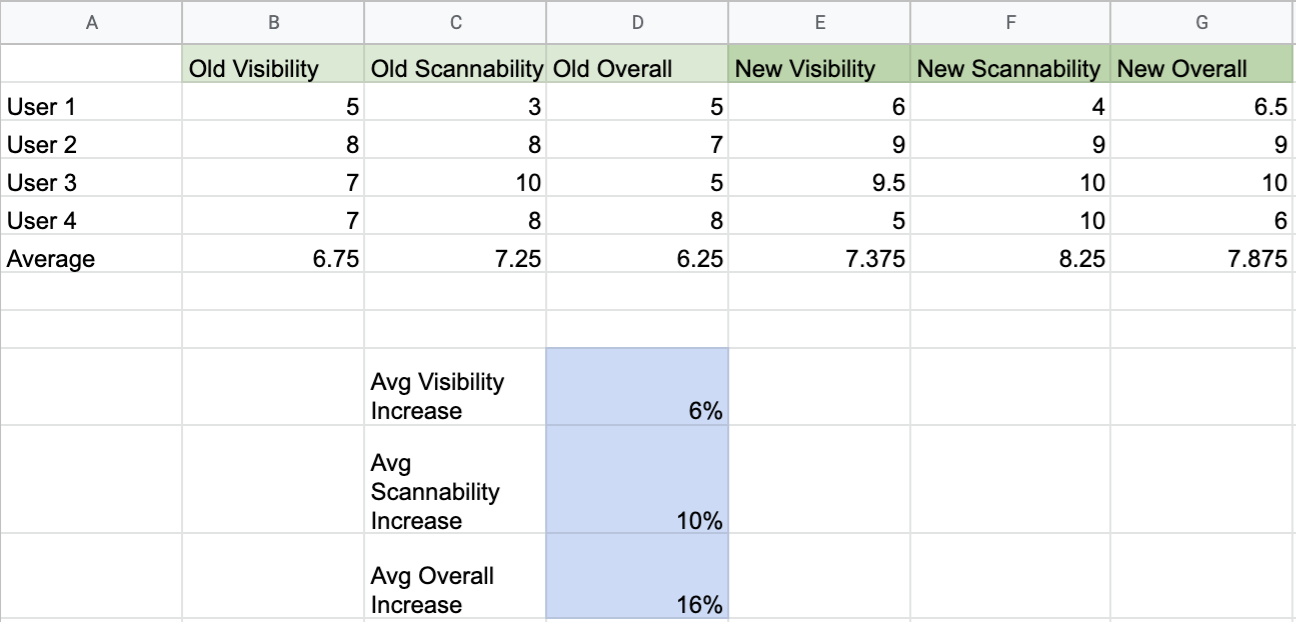
Users found the new design more visible, scannable, and overall better.
Adjustments based on user feedback:
Relocation or removal of sections users said they didn't use or didn't find important.
Projects with CTAs got moved to the top.
Added "new" section to project tab so users can browse within this experience.